Nobody could glance at the numbers and know if we were winning.
The WHY Institute runs on EOS: a weekly huddle, a scorecard, quarterly rocks, an issues list. The ritual was solid. The data underneath it was not. Metrics lived across a ClickUp list, a half-built local cockpit, and spreadsheets that had to be reassembled every week before the meeting could even start.
The deeper problem was structural. Outcome numbers and activity numbers sat side by side on the same board, revenue figures could be counted twice when one category overlapped another, and "what counts toward this metric" got re-argued in the meeting instead of settled once. Leadership wanted the equivalent of a big graph on the wall: where we were last quarter, where we are now, and where we are headed, visible to the whole team at all times.
No off-the-shelf dashboard modeled our huddle. So I built the app.
The metric model came first. The code came second.
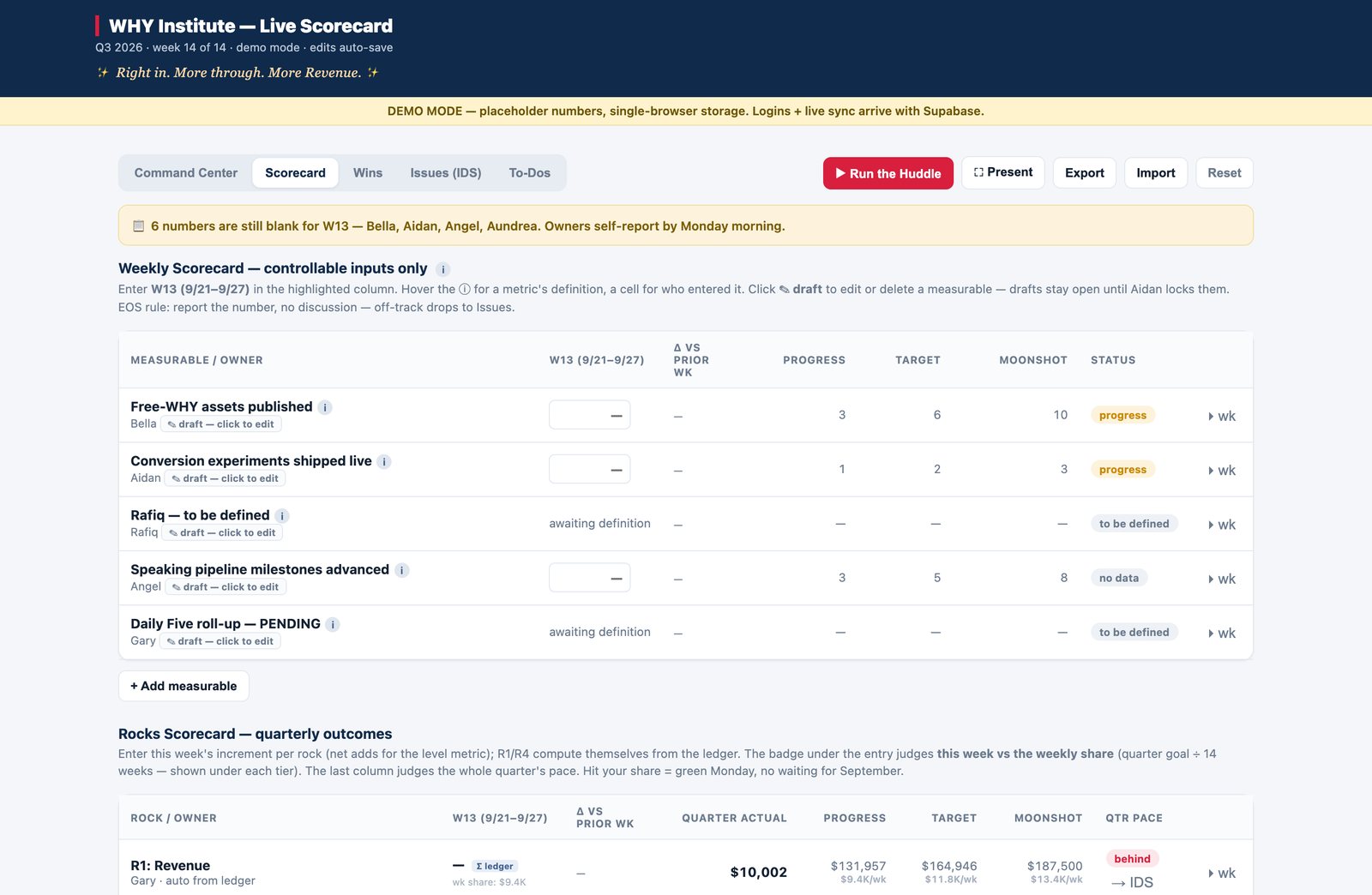
Before writing any application code, I researched how EOS actually defines scorecards, leading versus lagging measurables, and rocks, and wrote a metric model the team could approve. The core discipline: the weekly scorecard holds controllable inputs only. Every measurable has to pass one test: can the owner move it by Friday? Outcomes live on the quarterly rocks, never in both places. That single rule ended the drift and double-counting problems before the first table existed.
Then I built and shipped in phases:
-
01Metric ModelTwo-layer design: weekly leading inputs feed quarterly rocks, with an explicit mapping between them. Each metric carries a draft-to-lock lifecycle, so once a definition is locked, the "what counts" argument is over. A team questionnaire let each owner propose their own measurable.
-
02Deployed ShellNode/Express server on Render, Supabase for data and invite-only auth, and a static ES-module frontend with no build step. Realtime sync so every teammate sees the same numbers. Secrets stay server-side; nothing sensitive reaches the browser.
-
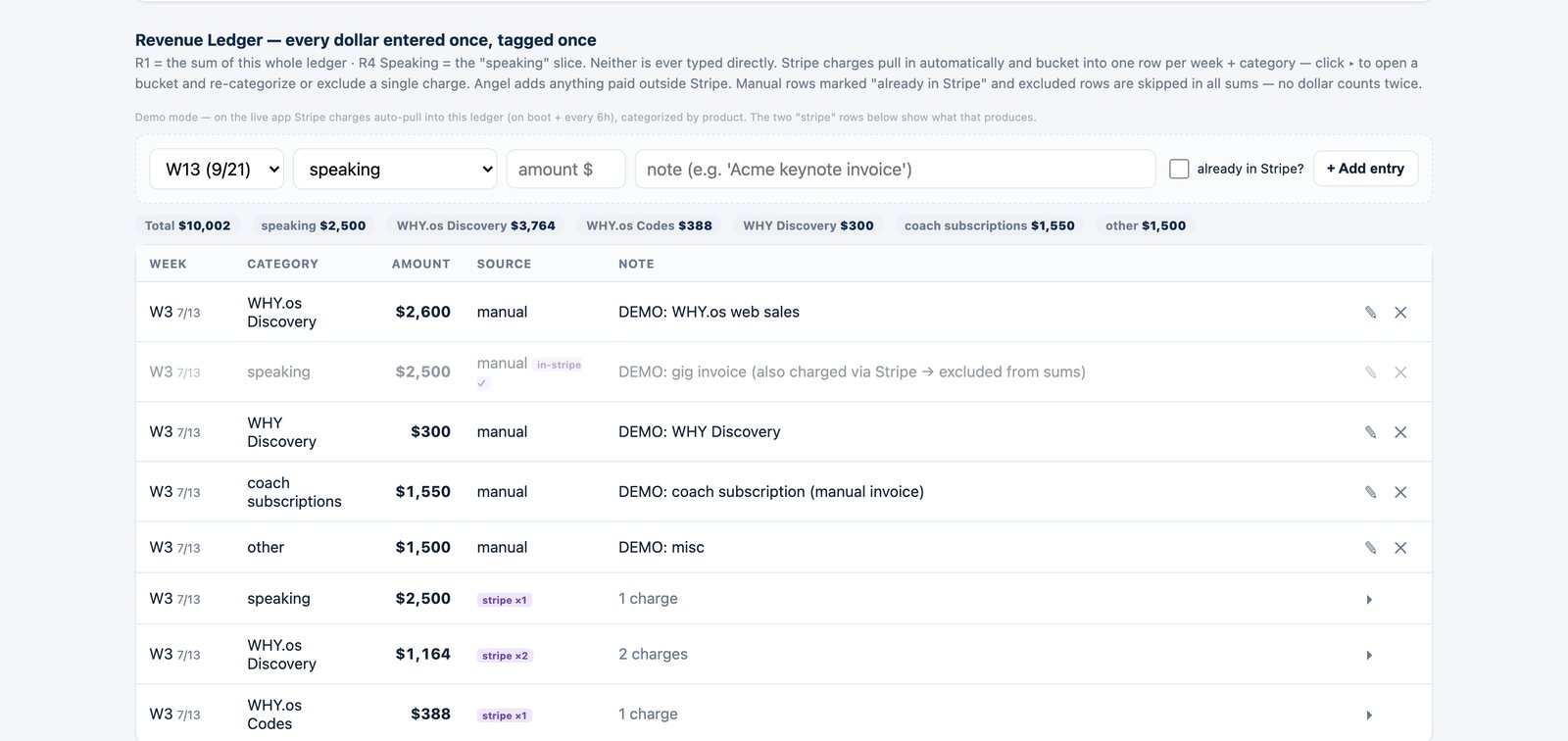
03Revenue Ledger + StripeOne categorized ledger: every dollar entered once, tagged once, with an "already in Stripe?" dedup flag. Stripe revenue auto-pulls in with a reconciliation view. The headline revenue rock is the sum of the ledger; the speaking rock is a computed slice of it, never typed and never additive.
-
04The Huddle SurfaceWins, Issues/IDS (a solve requires an owner and a due date, and spawns a to-do), To-Dos with a done-done health percentage, a timed Run-the-Huddle mode, and a full-screen Present mode built for Zoom screen-share.
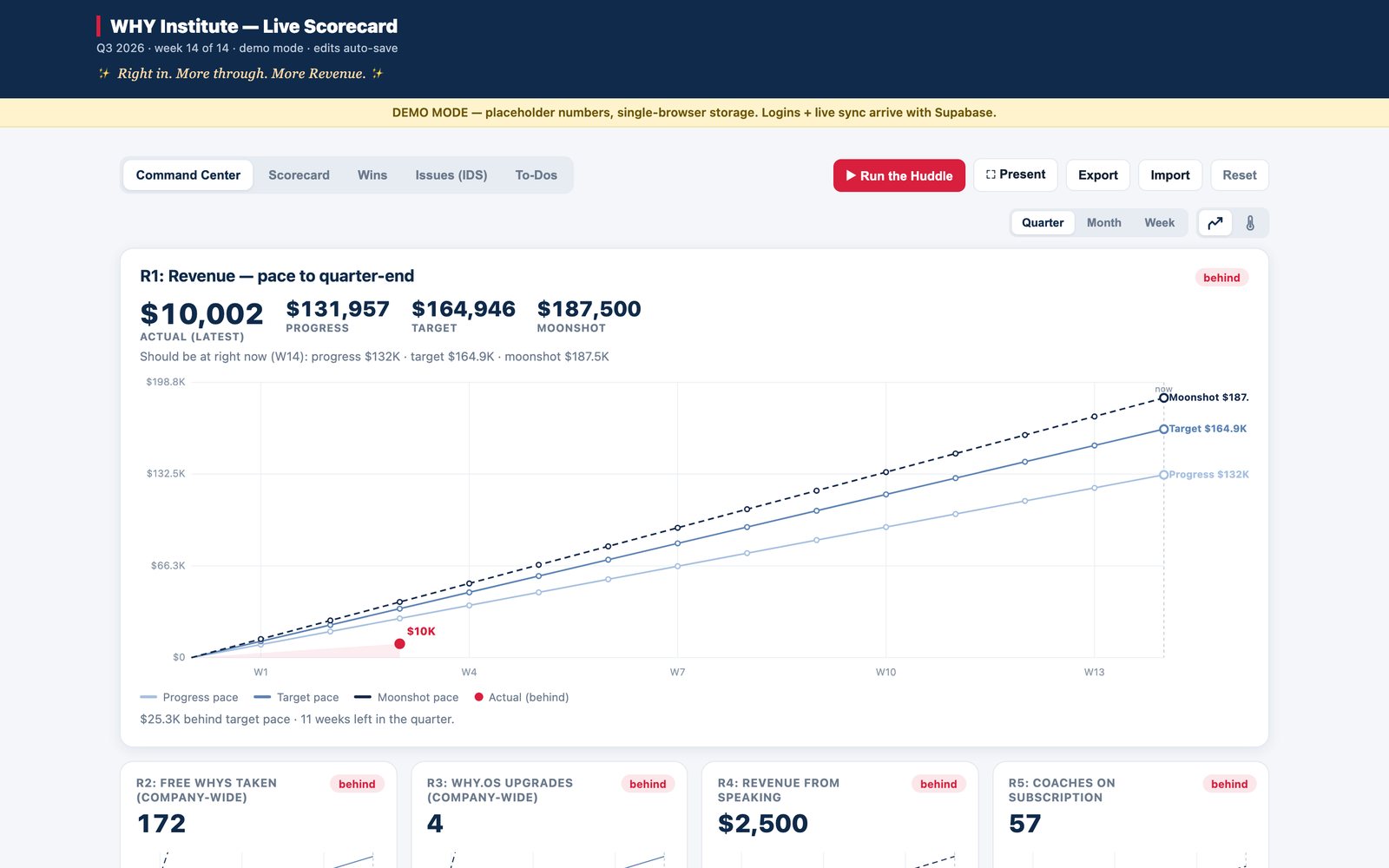
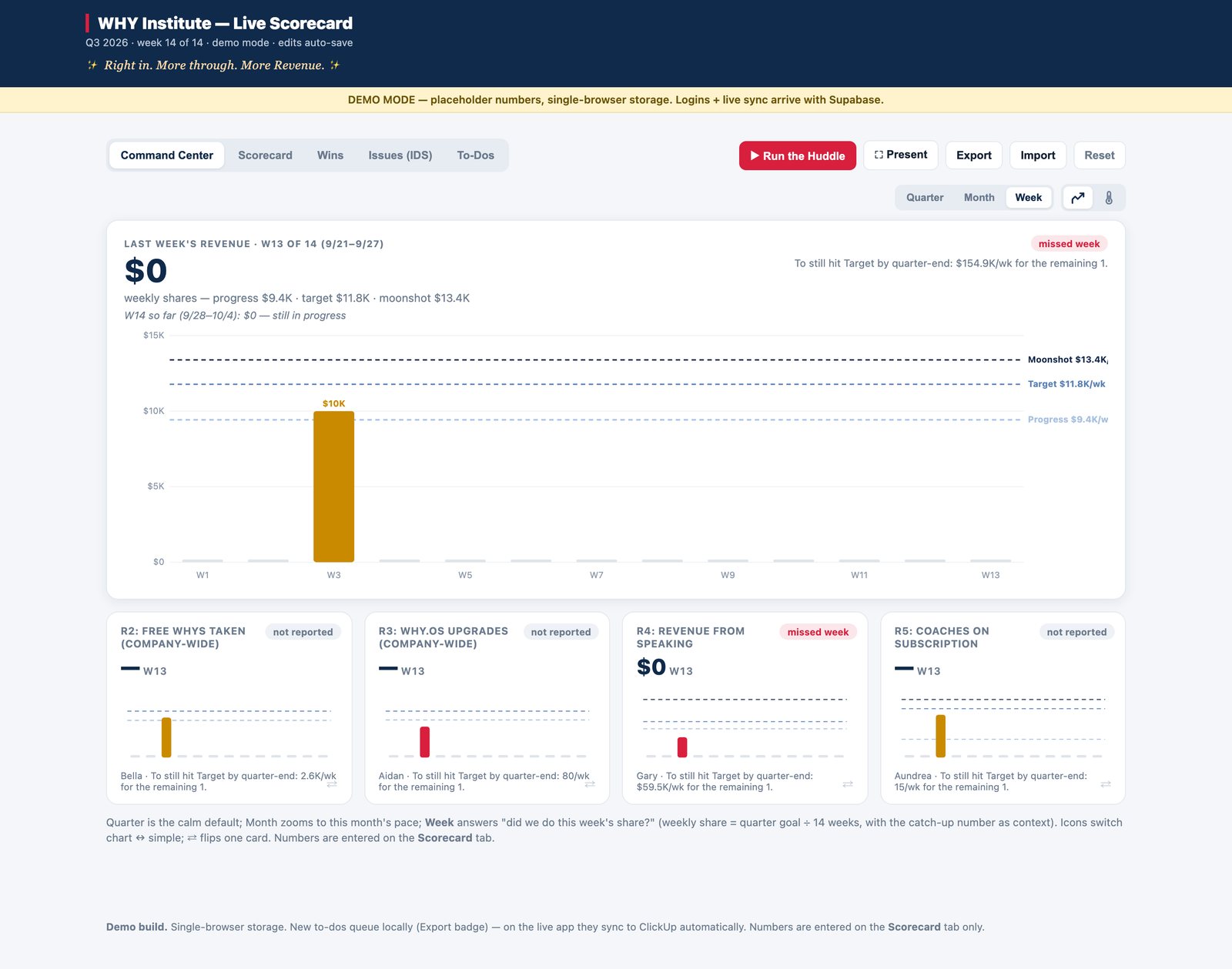
The Command Center is the default view: a hero revenue pace chart plus a mini card per rock, each with three-tier pace lines for the progress, target, and moonshot goals. Status recomputes at quarter, month, or week granularity, so one bad week never paints the whole quarter red, and a plain-words pace line tells the team exactly what catching up requires. Week boundaries are computed by a single shared helper on one timezone, so a late-evening sale can never land in the wrong week for anyone.
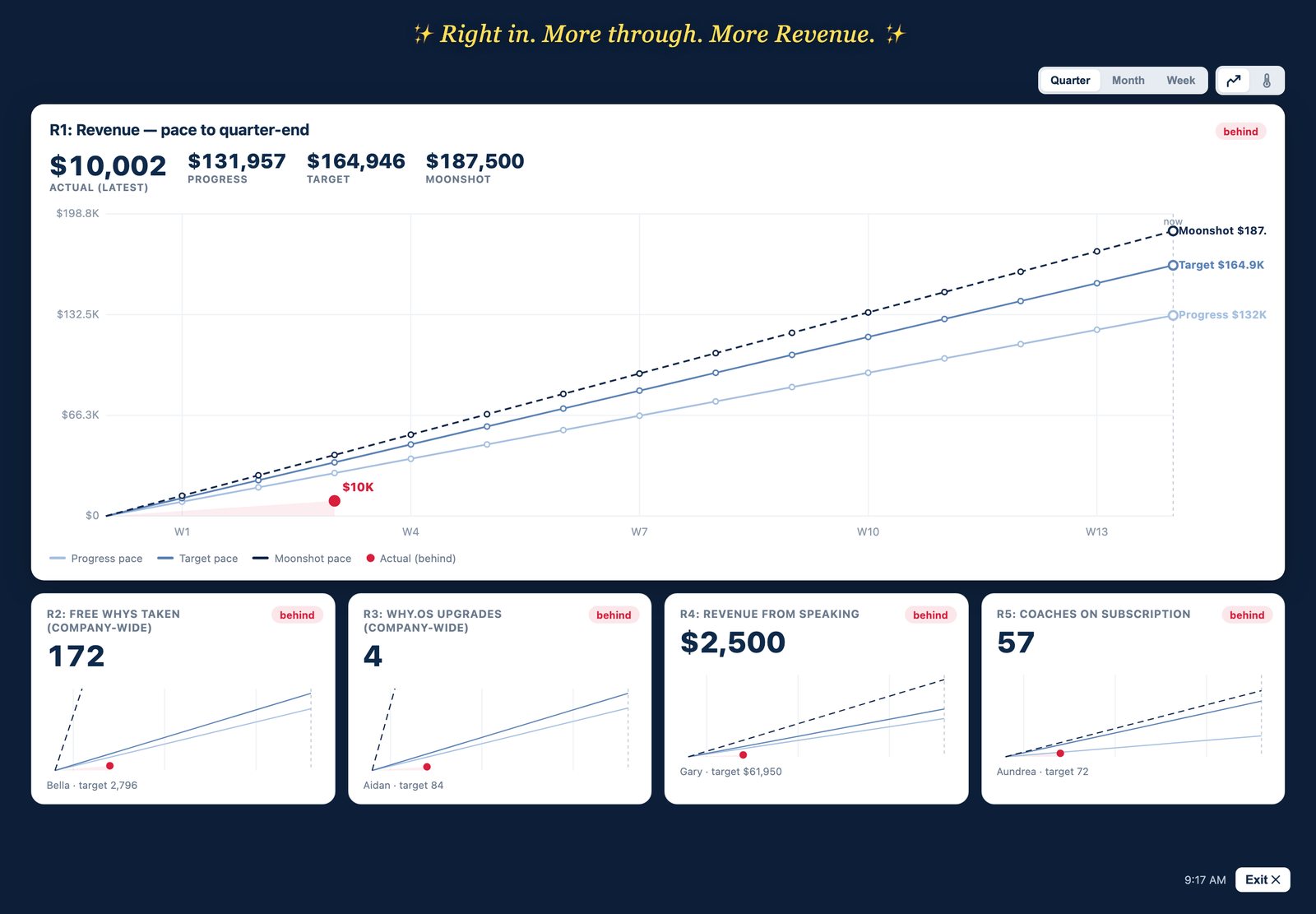
Revenue is one ledger. The big rock is the sum, the speaking rock is a slice, and the system makes double-counting a payment structurally impossible.
The whole huddle now runs inside the app.
The app is live in production and is the team's single source of truth for metrics. The weekly meeting opens in it, runs in it, and closes in it.
- Live at team.whyinstitute.com on Render + Supabase, invite-only, with realtime sync across the team
- The full weekly huddle runs in one surface: scorecard review, rocks, IDS, to-dos, and Present mode on Zoom
- Stripe revenue auto-pulls into the categorized ledger with a reconciliation view, replacing hand-typed totals
- Three-tier pace charts (progress, target, moonshot) readable at quarter, month, or week granularity
- Draft-to-lock metric lifecycle, enforced by a database trigger, so locked definitions cannot quietly drift
- Built solo by a marketer, with a no-build-step frontend the team can maintain
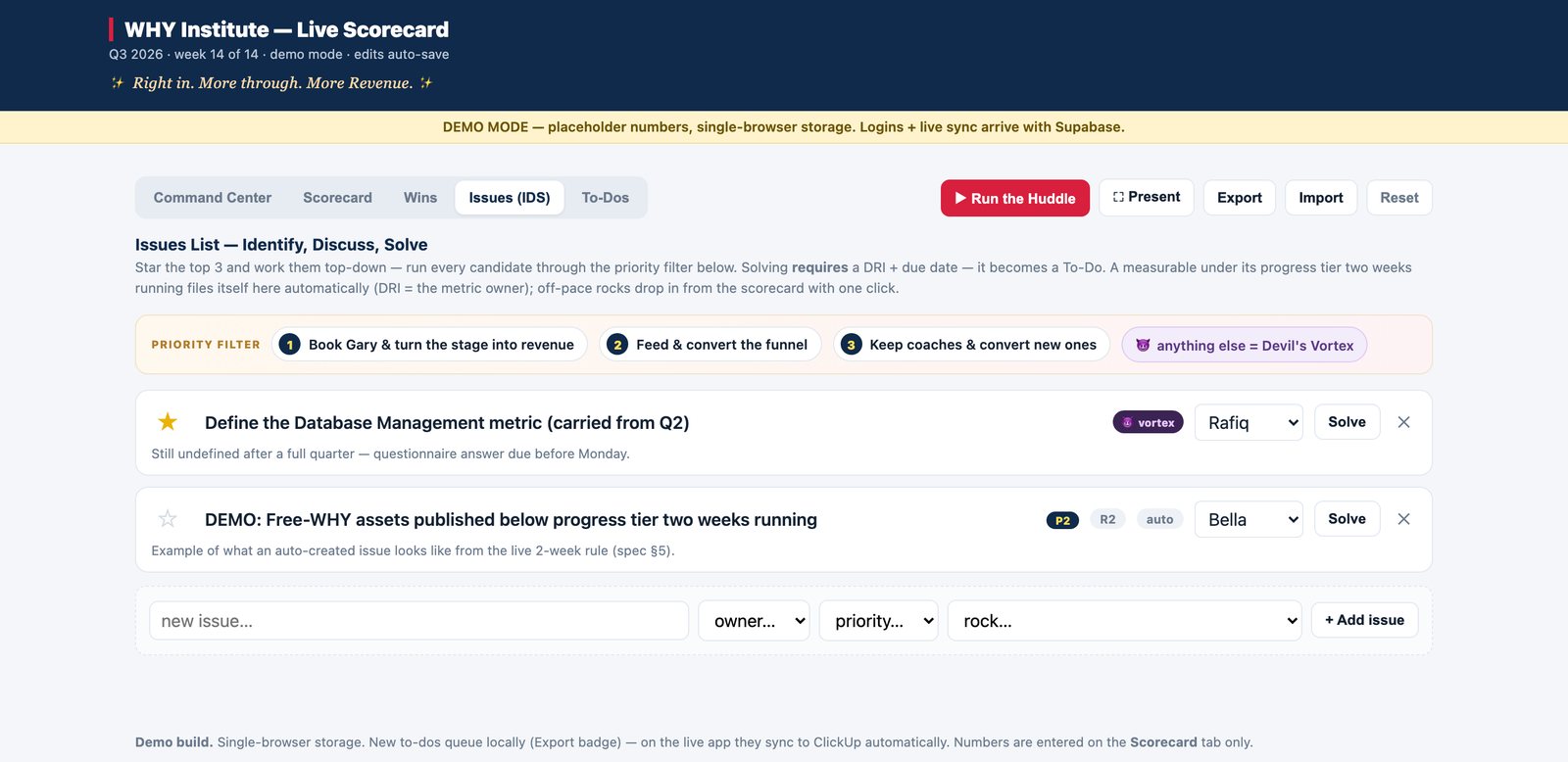
Dashboards fail on data modeling long before they fail on code.
The hard part of this project was never the JavaScript. The hard part was deciding what deserves to be on a scorecard, writing rules that make bad data structurally impossible, and getting a whole team to trust one set of numbers. The app works because the model underneath it was argued out, written down, and approved before the first screen existed.
A single source of truth is a governance achievement with a UI on top. I built both halves.